5 Open-Source Browser Games You Can Play on Your Phone: No Download, No Sign-Up
Link first: https://games.cosmocat.dev/
5 classic games — no download, no sign-up, no app install. Open them on your phone and play.
I put all 5 online and wrote 3 Chinese guides for each, 15 articles in total.
1. First, the Standout: Tetris
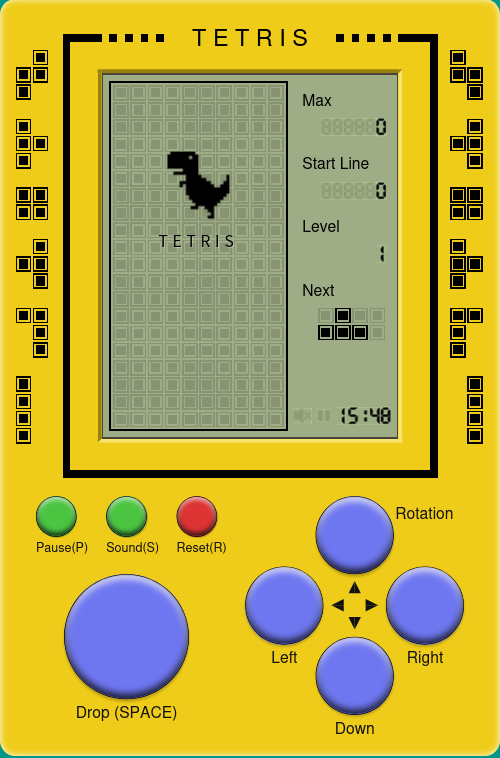
The screenshot above is from a real device (iPhone viewport, 390×844).
This is the Tetris build after I swapped versions. The most notable thing about it: there is a row of large buttons on screen, and one tap is one move — rotate, move left, move right, soft drop and hard drop each get their own, plus pause, sound and restart. On desktop you can of course use the keyboard and spacebar too.
The top right is the status panel: high score, starting lines, level, next-piece preview. Line clears have sound.
👉 Play now: https://games.cosmocat.dev/games/tetris/
2. All 5, With Direct Links
Tetris | Touch Buttons + Keyboard
That is the screenshot above. The status panel shows high score, level and next piece, and there is sound.
👉 https://games.cosmocat.dev/games/tetris/
Sudoku | All 81 Cells Are Hand-Fillable
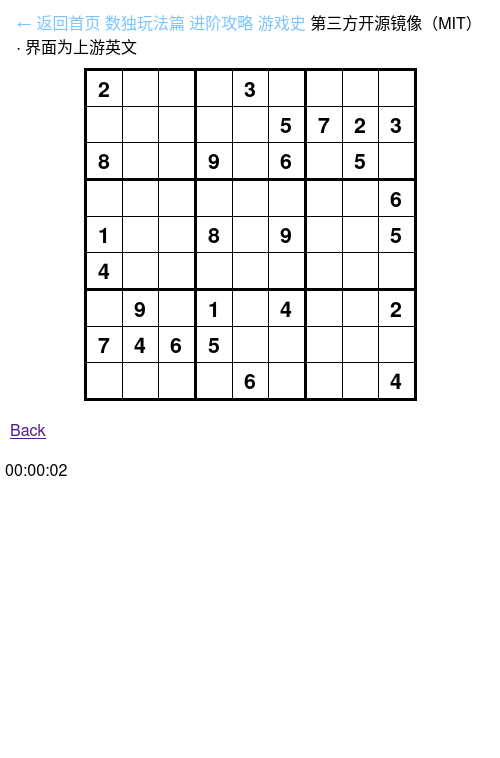
9×9, 81 cells. The bold numbers from the puzzle cannot be changed; the empty cells you can fill however you like. If a number clashes with the same row or column it turns red, and it goes back to normal once you fix it. Three difficulty levels: Easy / Medium / Hard, with a timer.
👉 https://games.cosmocat.dev/games/sudoku/
Minesweeper | Built-In SAT Solver
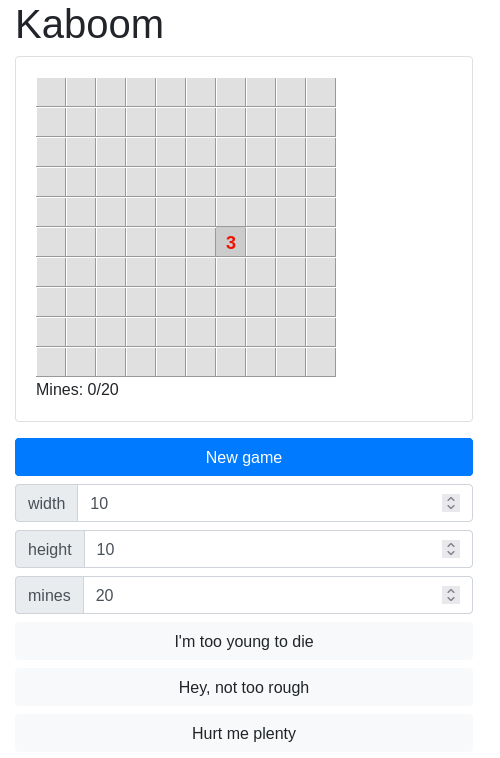
Standard Minesweeper, but this build adds one thing: a built-in SAT solver. When you are stuck in a 50/50 dead end — two cells perfectly symmetric, with no information to tell them apart — it can tell you which cells are forced.
It turns "take a gamble on a hunch" into "let the solver give you the answer". The interface is in English, and you switch difficulty at the bottom of the page.
👉 https://games.cosmocat.dev/games/minesweeper/
Gomoku | 15-Line Board, Three AI Levels
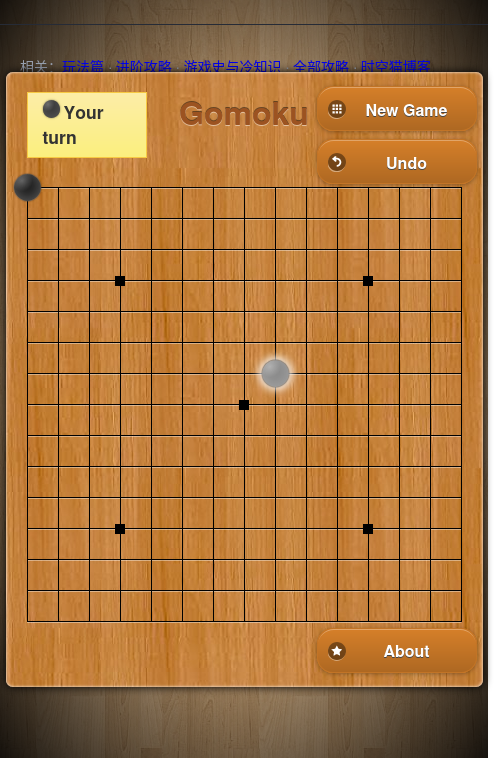
Player versus AI on a 15-line board, with Novice / Medium / Expert AI levels and undo. The AI runs on your own phone, so the interface does not stutter while it thinks, and the move animation keeps playing.
👉 https://games.cosmocat.dev/games/gomoku/
2048 | Number Merging
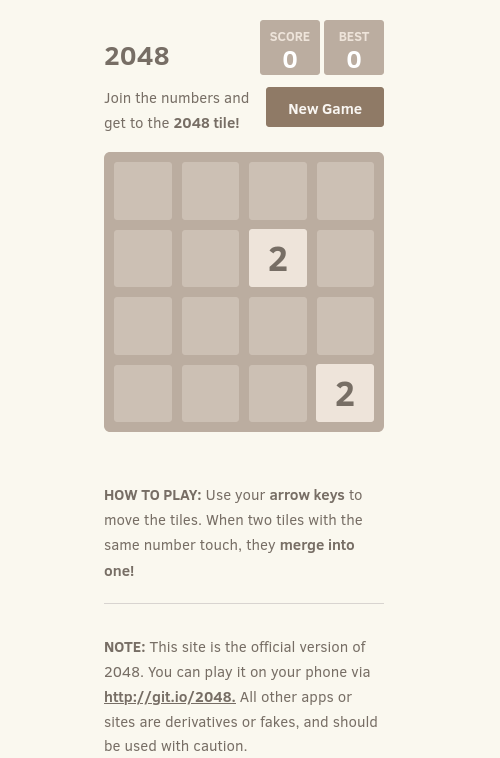
Swipe to merge matching numbers and build the 2048 tile. Zero learning curve.
👉 https://games.cosmocat.dev/games/2048/
3. Why These 5 Made the Cut
Selection followed only two hard rules: playable directly on a phone + clean licensing (open source, so you can deploy your own copy).
Filtering by those two rules, I cut more than I kept:
- One board-game project was simply unplayable on a phone → cut
- One Gomoku project had no license at all → cut (no license means no permission to redistribute)
- Of two chess projects, one needed a pile of desktop dependencies to run, and the other was too large to fit on a phone → both cut
The 5 that stayed each have their own reason:
| Game | Why it made the cut |
|---|---|
| Tetris | Touch buttons + keyboard, with line-clear count, level, next-piece preview and sound |
| Sudoku | All 81 cells hand-fillable, three difficulty levels, timer |
| Minesweeper | Built-in SAT solver that computes the forced cells in a 50/50 dead end |
| Gomoku | 15-line board, three AI levels, undo; the AI runs on your phone so moves stay smooth |
| 2048 | The classic number merger, with the most reliable search intent |
4. I Reworked the "Playable on Mobile" Claim Twice
In the first version I shipped, two of the games were actually unplayable on a phone.
Tetris only had keyboard controls, and the page did not even have a scoreboard. My first guide said "soft drop 1 point / hard drop 2 points" — the common claim online. But when I tried it myself on a phone, that was not how it worked at all: this build had no score at all, and the only controls were on the keyboard.
Sudoku you could only look at, not fill in. In that build the grid was locked: you could see the puzzle and see the answer, but you could not enter numbers.
So I simply swapped both games for versions that actually work on a phone, instead of compromising in the guides:
| Old version | New version | |
|---|---|---|
| Tetris | A small demo with keyboard-only controls and no scoreboard | A row of touch buttons right on screen, keyboard still works, panel shows line clears / level / next-piece preview, plus sound |
| Sudoku | Locked grid, view-only | All 81 cells hand-fillable, three difficulty levels, with a timer |
Before swapping, I tapped through every game on a real device — the two that were unusable on a phone at the time were replaced on the spot.
That is where the five screenshots above come from.
When writing guides, one hands-on test is worth more than ten reference articles.
5. They Don't Run on My Server
All 5 games do their computation inside your own phone — how Sudoku checks for duplicates, how the Gomoku AI picks a move, all of it runs locally on your device.
So: no data collection, no accounts, and no waiting for loads. Everything you play stays in your own browser.
6. The 15 Guides Are the Real Asset
Anyone can deploy the games themselves; the guides are what lasts. 3 per game:
- How to play — for people who have never touched the game
- Advanced play — for people who want to get better
- Game history + trivia — for people who want the story
Two examples I happen to like:
The advanced Minesweeper guide covers how to handle a 50/50 position. The method is not to gamble: first stop clicking, write down the known constraints (numbers, flags, opened cells) as boolean conditions, and solve for a satisfiable assignment — if you can work out which cells are definitely not mines, open them. This build ships with a SAT solver, so you can just ask it.
The Tetris history piece is about a Soviet computer in 1984 and the standards fight 40 years later — T-Spin, combo counting, hold-piece scoring; the arcade era and today have never agreed.
7. To Be Clear: This Is a Third-Party Mirror
All 5 are upstream open-source projects. The site keeps the original LICENSE and version information, each page footer states the source, and the links point straight to the original author's repository.
I am a third-party mirror, not the official version, and I have no affiliation with the original authors. Copyright in the games themselves belongs to the original authors and they are distributed under open-source licenses; the guides are my own writing. Because they are open source, you can deploy your own copy too, at the same cost of 0.
No data collection, no accounts, no analytics scripts running in your browser.
8. What's Next
- One more long-form "advanced play" guide for each game
- Turn it into a PWA you can add to your phone's home screen, one tap on the icon to open
If there is a game you want me to test, drop a letter in the comments.
The link is here: https://games.cosmocat.dev/
Two sibling sites: the open-source directory craft.cosmocat.dev, and my blog cosmocat.dev.